
For: Administrators, programme managers, mentors · 2 minutes read
Mentees see their tasks in the DukaHuru app and hand in photos, files, notes or a form.
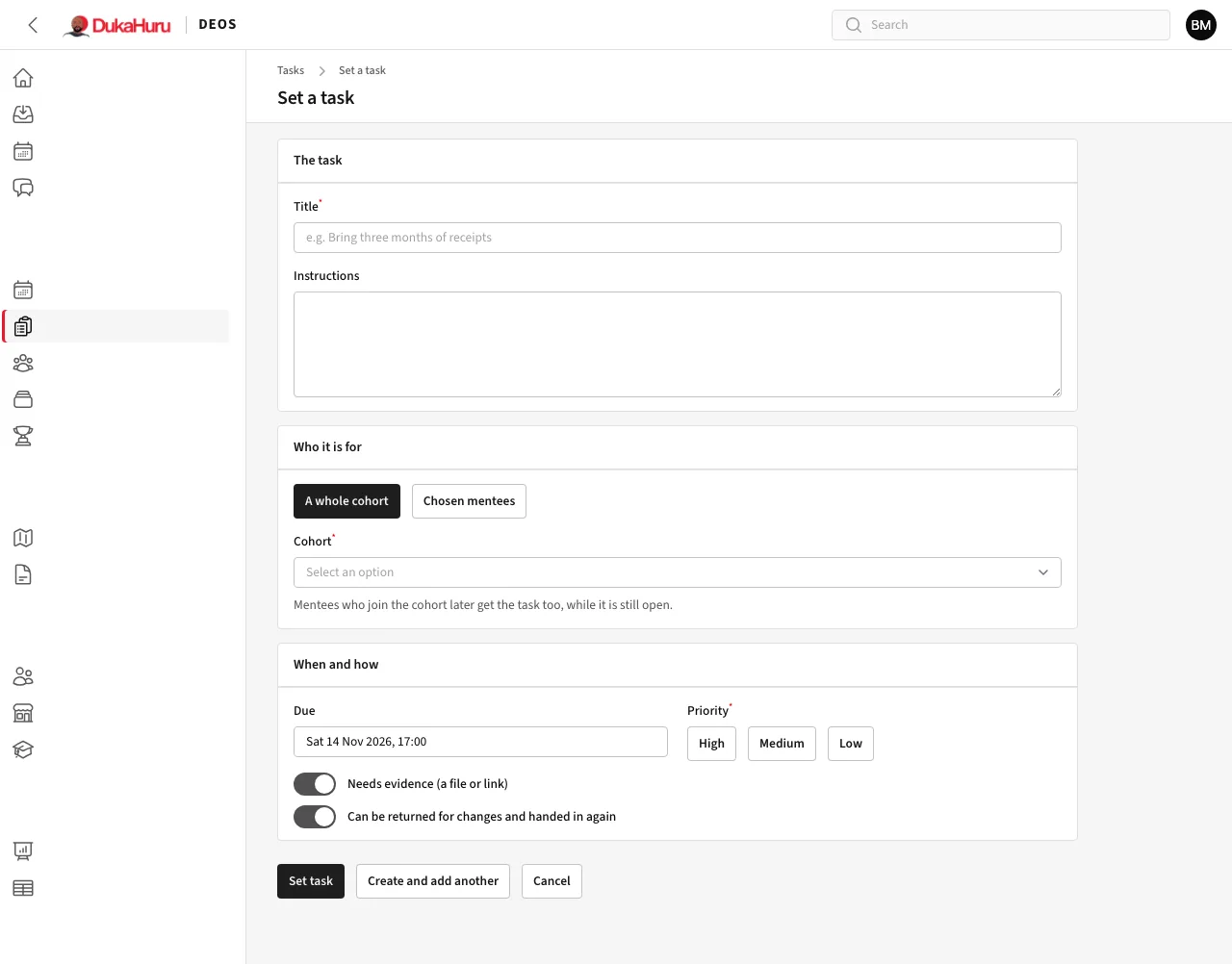
Set a task
- Open Tasks and click Set a task.
- Give it a title and instructions.
- Who it is for: A whole cohort (mentees who join later get it too, while it is open) or Chosen mentees.
- Set the due date and priority. Turn on Needs evidence if they must attach a file or link, and Can be returned if you may send it back for changes.
- Click Set task.
Mentees get an SMS before the task is due and if it becomes overdue. Tasks → Calendar shows tasks by due date.
Review hand-ins
To review lists hand-ins waiting for a decision, oldest first. The number beside it in the menu is how many are waiting.
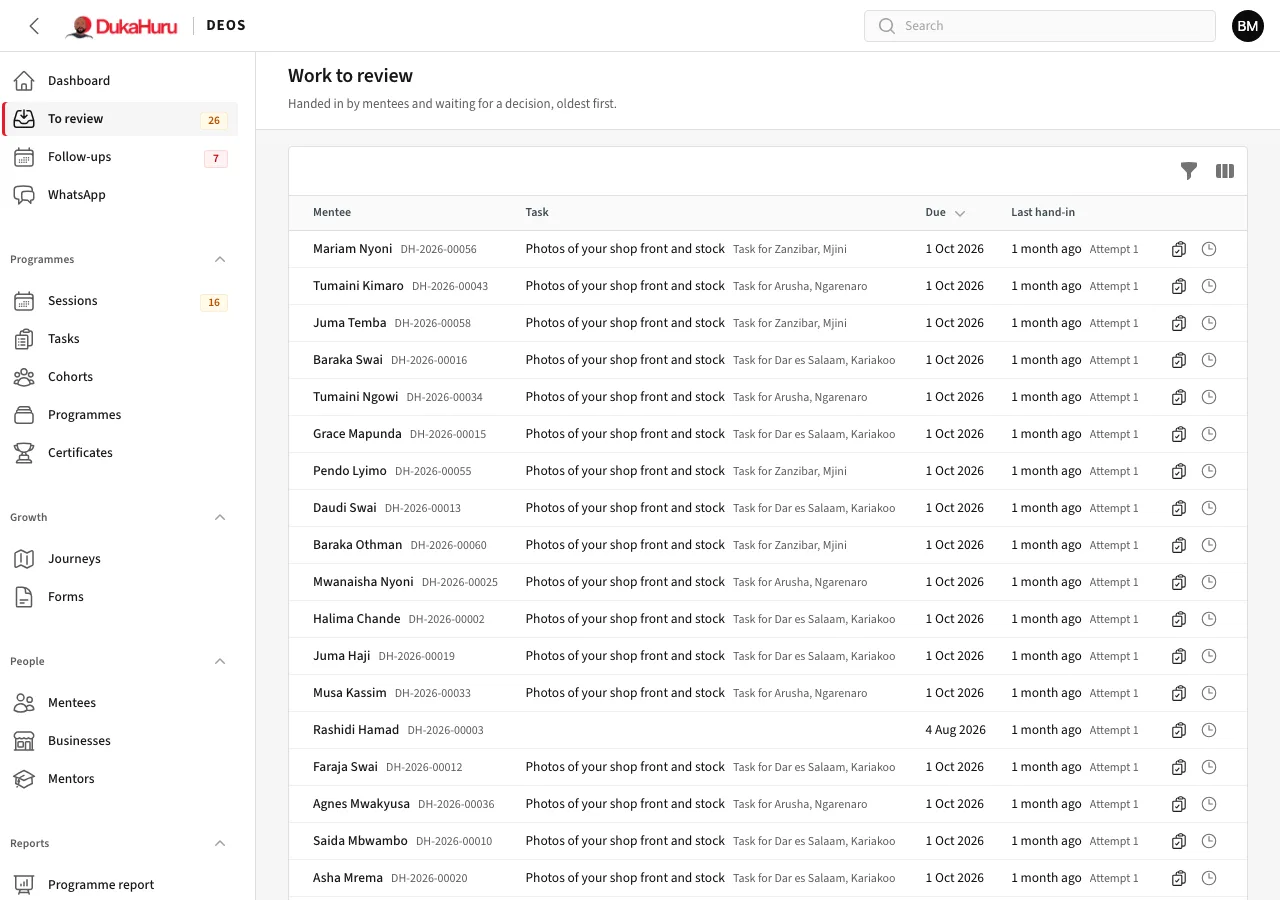
- Click Review on a row to see what they handed in: their note, files, links or answers.
- Choose the Decision: Accept, or Return for changes (when the task allows it).
- Write the Feedback for the mentee and save. The mentee sees it in the app.
Workbooks are tasks that repeat every week or period from a form; DEOS creates each period's task as the period starts.