
For: Administrators, programme managers, mentors · 1 minute read
Each month mentees send their business numbers from the app: sales, costs, cash, customers and workers, from their records. They are the basis of the Business Health and Growth scores.
What is tracked
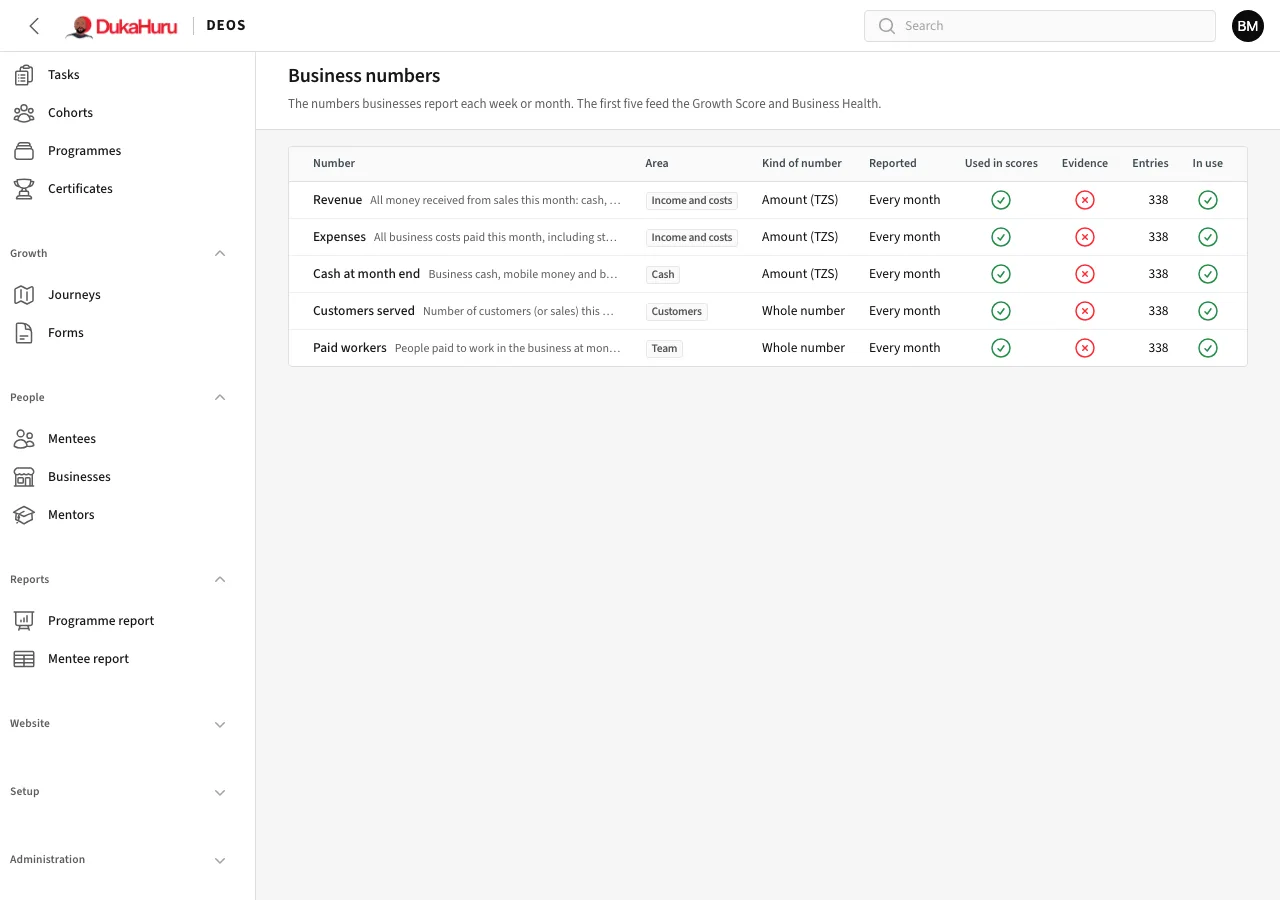
Setup → Business numbers lists the numbers DEOS asks for: each one's area, kind, whether it is reported monthly or weekly, whether it needs evidence, and whether it is used in the scores. Turn one off to stop asking for it.
Look at what a business sent
Open the business under People → Businesses. Its numbers are listed by month, with the scores they feed.
When a number looks wrong
A number counts as soon as it is sent. If it looks wrong, use Flag to check to ask the mentee to check it, or Reject it; the scores are recalculated without it. The mentee can correct it in the app.
Mentees get an SMS two days after the month ends if their numbers are not in yet.