
For: Mentors · 1 minute read
You see the sessions of your cohorts and every session you are a facilitator of, under Sessions and on the sessions calendar.
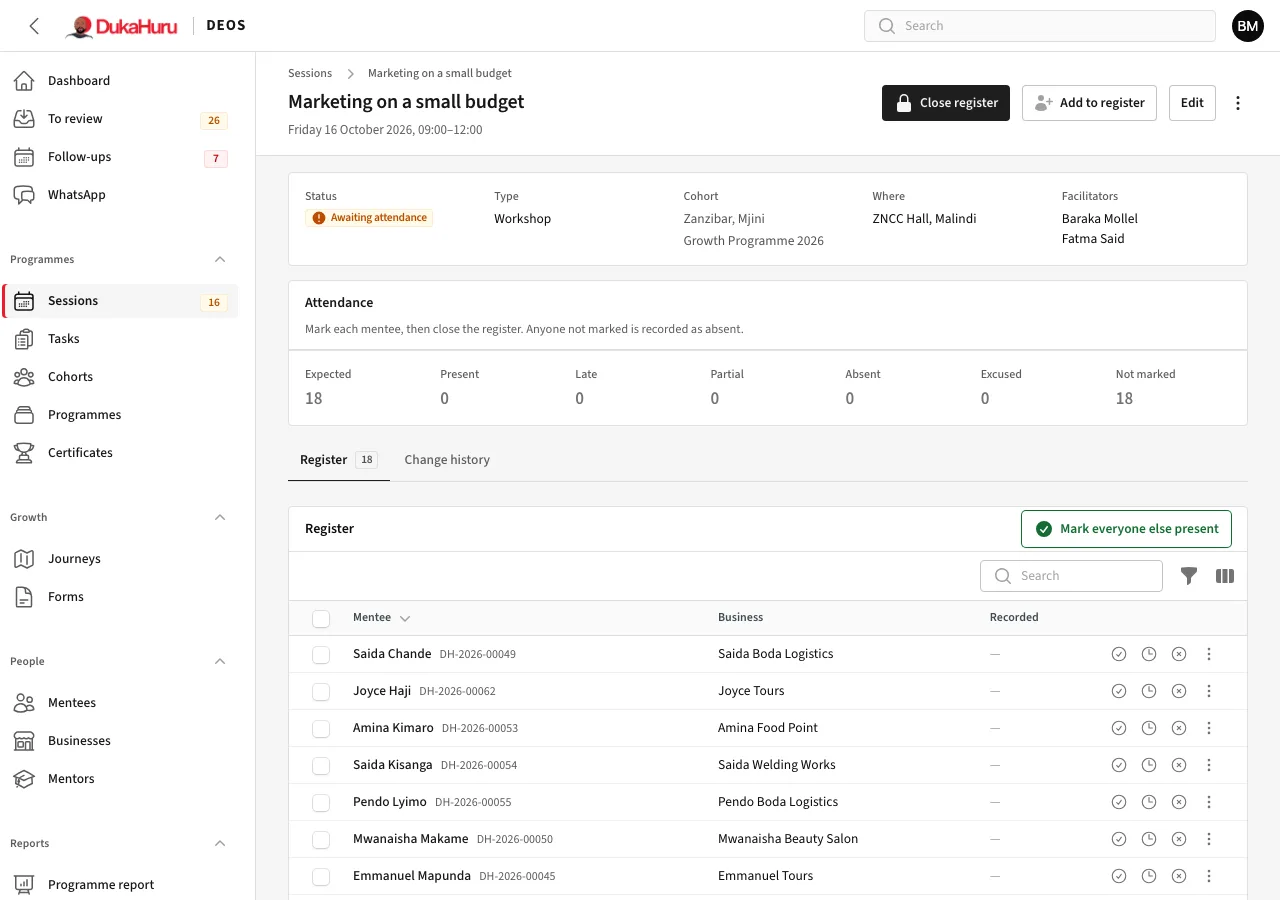
Take the register
- Open the session. From the menu (⋮) choose Check-in QR code and show it on your phone or a screen.
- Mentees scan it with their phone and are recorded present (or late after 15 minutes).
- Mark anyone else in the Register with the buttons on their row, or Mark everyone else present. Use Add to register for someone not on the list.
- When done, click Close register. Anyone not marked is recorded as absent.